


For java we need to first create the project then create package then create class. This is how we do. Then for debug and running the project we need to make some settings. Here I will teach you how to create java project and debug the java source code.
First let’s look how to setup our project for java.
1. Right click on the package explorer.
a. If package explorer is not shown by default, open it from main menu. Click on Window > Show View > Package Explorer.
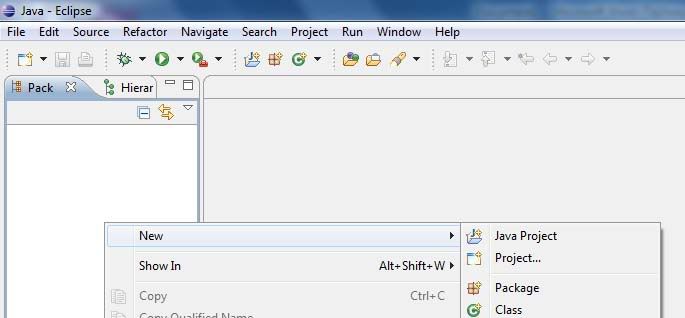
2. Select New > Java Project
You’ll get a dialog box shown below.
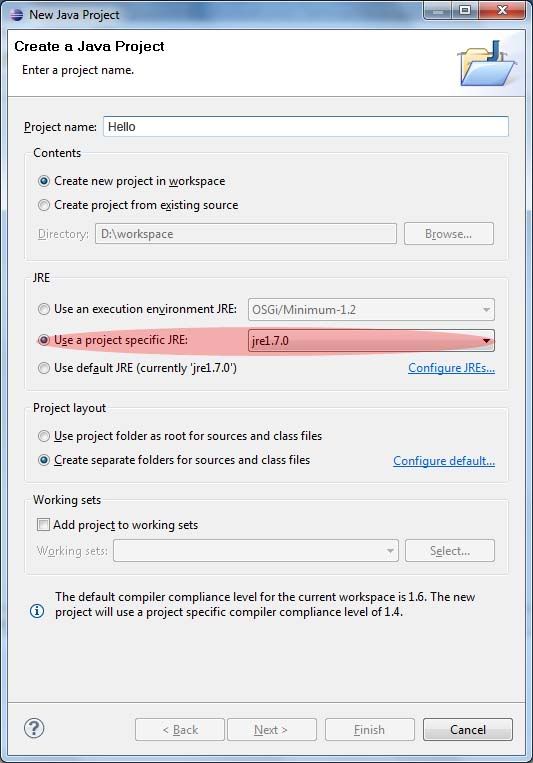
3. Enter project name, I choose hello
Under JRE, select Use a project specific JRE, then click Finish
Note : Eclipse creates a folder under workspace with the project name you give here.
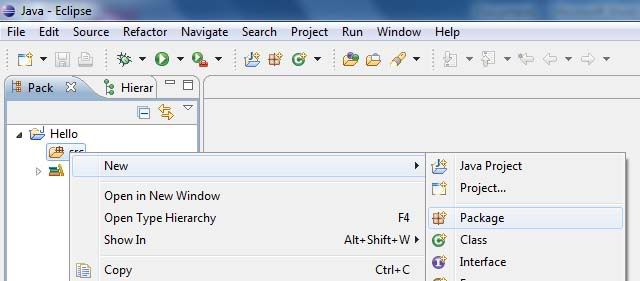
4. Expand Hello, right click on src folder, select New > Package
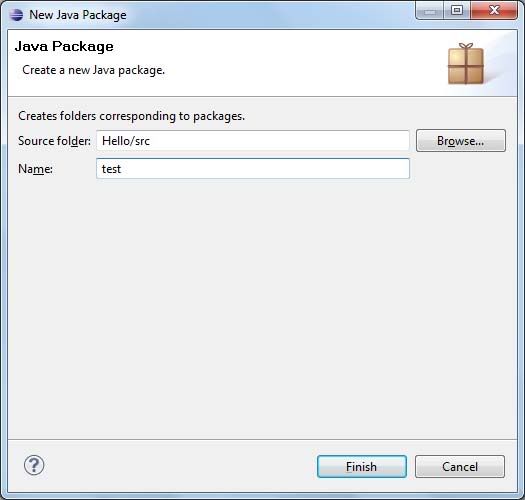
5. Enter name for the package, I choose test.
6. Then select the package you created, right-click on it, then select New > Class
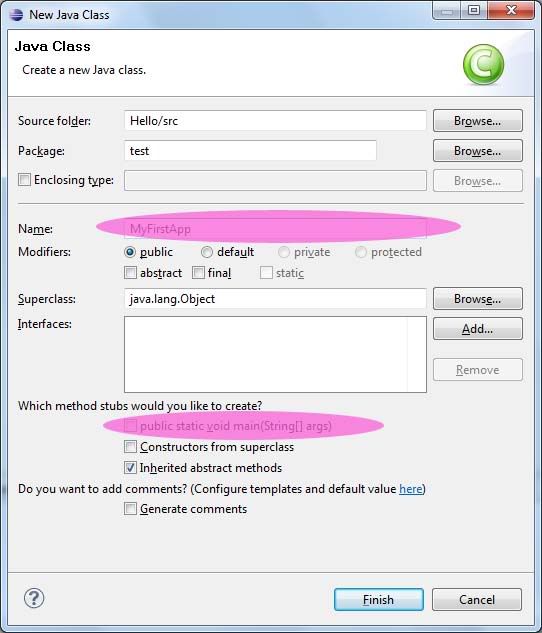
Give the name for your class, remember in Java, the class name always begins with capital letter.
I choose MyFirstApp
Below you’ll see where it reads which methods stubs would you like to create?
Under this enable the first option, which reads
Public static void main(String []args)
Enabling this option will add, public static void main(String[] args) body to the class which you are going to create.
Then you’ll see the code similar to the one below :
package test;
public class MyFirstApp {
/**
* @param args
*/
public static void main(String[] args) {
// TODO Auto-generated method stub
}
}
7. Inside the main body, enter the code for eg.
System.out.println(“My first App in Eclipse”);
So the full source looks :
package test;
public class MyFirstApp {
/**
* @param args
*/
public static void main(String[] args) {
// TODO Auto-generated method stub
System.out.println("Hello");
}
}
8. To run the program, there are three different ways,
a. Select Run from Main Menu then select Run.
b. Use shortcut Ctrl+F11
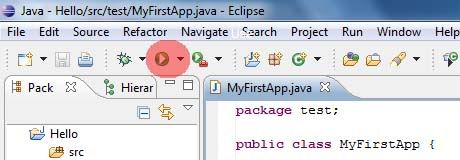
c. Use the play like button on the toolbar, it is shown in the figure below.
9. You’ll see the result under console dialog. The output is Hello.
I hope you learnt how to code and run java in eclipse. Now you also need to learn how to debug java programs in eclipse.

No comments:
Post a Comment
How you feel about this post.